
 100% FREE ACCESS
11th Standard Syllabus & Materials
11th Standard
TN 11th Tamil இயற்கை வேளாண்மை,சுற்றுச்சூழல் -செய்யுள் - மனோன்மணீயம் Important Questions And Answers Study Material - QB365 Set A
NEW11th Standard
TN 11th Tamil என்னுயிர் என்பேன் -துணைப்பாடம் - இசைத்தமிழர் இருவர் Important Questions And Answers Study Material - QB365 Set A
NEW11th Standard
TN 11th Tamil மொழி கலை -செய்யுள் - ஒவ்வொரு புல்லையும் Important Questions And Answers Study Material - QB365 Set A
NEW11th Standard
TN 11th Tamil பீடு பெற நில் - இலக்கணம் - பகுபத உறுப்புகள் Important Questions And Answers Study Material - QB365 Set A
NEW11th Standard
TN 11th Tamil பீடு பெற நில் - துணைப்பாடம் - வாடிவாசல் Important Questions And Answers Study Material - QB365 Set A
NEW11th Standard
TN 11th Tamil பீடு பெற நில் - செய்யுள் - குறுந்தொகை Important Questions And Answers Study Material - QB365 Set A

Published on: 13/05/2022
QB365 provides detailed and simple solution for every Creative Questions in class 11 Computer Science Subject. It will helps to get more idea about question pattern in every Creative questions with solution.
latest Creative QuestionsDownload Tamil Nadu 11th Standard Computer Science question papers, model tests, one-mark questions, important questions, and public exam papers in PDF format. Free study materials and answer keys for TN State Board students.
Questions + Answers key
Take MCQ Computer Science Test
1.
Explain various types of microprocessors.
2.
Explain the secondary storage devices.
3.
Explain the flash memory devices and BIu-ray disc.
4.
Explain any three secondary storage devices.
5.
Define the following. (a) Bus (b) Data bus (c) Address bus (d) Control Bus
1.
Microprocessors can be classified based on the following criteria:
1. The width. of data that can be processed
2. The instruction set
Classification of Microprocessors based on the Data Width
Depending on the data width, microprocessors can process instructions. The microprocessors can be classified as follows:
1. 8-bit microprocessor
2 16-bit microprocessor
3. 32-bit microprocessor
4. 64-bit microprocessor
Classification of Microprocessors based on Instruction Set
The size of the instruction set is another important consideration while categonzmg microprocessors. Initially, microprocessors had very small instruction sets because complex hardware was expensive as well as difficult to build. As technology had developed to overcome . these issues, more and more complex instructions were added to increase the functionality of microprocessors. Let us learn more about the two types of microprocessors based. on their instruction sets.
Reduced Instruction Set Computers (RISC)
RISC stands for Reduced Instruction Set Computers. They have a small set of highly optimized instructions. Complex instructions are also implemented using simple instructions, thus reducing the size of the instruction set.
Examples of RISC processors are Pentium IV, Intel P6, AMD.K6 and K7.
Complex Instruction Set Computers (CISC)
CISC stands for Complex Instruction Set Computers. They support hundreds of instructions. Computers supporting CISC can accomplish a wide variety of tasks, making them ideal for personal computers.
Examples of CISC processors are Intel 386 & 486, Pentium, Pentium II and III, and Motorola 68000.
2.
Secondary Storage Devices
A computer generally has limited amount of main memory which is expensive and volatile. To store data and programs permanently, secondary storage devices are used. Secondary storage devices serve as a supportive storage to main memory and they are non-volatile in nature, secondary storage is also called as Backup storage.
Hard Disks
Hard disk is a magnetic disk on which you can store data. The hard disk has the stacked arrangement of disks accessed by a pair of heads for each of the disks. The hard disks come with a single or double sided disk.
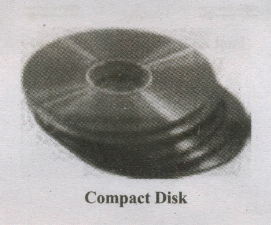
Compact Disc (CD)
A CD or.CD-ROM is made from 1.2 millimeters thick, polycarbonate plastic material. A thin layer of aluminum or gold is applied to the surface. CD data is represented as tiny indentations known as "pits", encoded in a spiral track moulded into the top of the polycarbonate layer. The areas between pits are known as "lands". A motor within the CD player rotates the disk. The capacity of an ordinary CD-ROM is 700 MB.
Digital Versatile Disc (DVD)
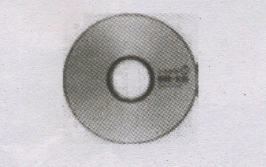
(A DVD Digital Versatile Disc or Digital Video Disc) is an optical disc capable of storing up to 4.7 GB of data, more than six times what a CD can hold. DVDs are often used to store movies at a better quality. Like CDs, DVDs are read with a laser.
The disc can have one or two sides, and one or two layers of data per side; the number of sides and layers determines how much it can hold. A 12 mm diameter disc with single sided, single layer has 4.7 GB capacity, whereas the single sided, double layer has 8.5 GB capacity. The 8 em DVD has 1.5 GB capacity. The capacity of a DVD-ROM can be visually determined by noting the number of data sides of the disc. Double-layered sides are usually gold-coloured, while single-layered sides are usually silver-coloured, like a CD
3.
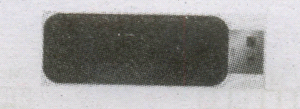
Flash Memory Devices
Flash memory is an electronic (solid-state) non-volatile computer storage medium that can be electrically erased and reprogrammed. They are either EEPROM or EPROM. Examples for Flash memories are pendrives, memory cards etc. Flash memories can be used in personal computers, Personal Digital Assistants (PDA), digital audio players, digital cameras and mobile phones. Flash memory offers fast access times. The time taken to read or write a character in memory is called access time. The capacity of the flash memories vary from 1 Gigabytes (GB) to 2 Terabytes (TB).
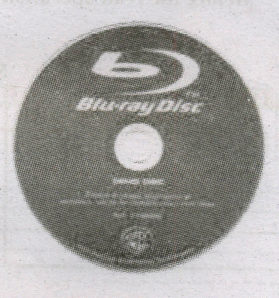
BIu-Ray Disc
Blu-Ray Disc is a high-density optical disc similar to DVD. Blu-ray is the type of discussed for PlayStation games and for playing High-Definition (HD) movies. A double-layer Blu-Ray disc can store up to 50 GB (gigabytes) of data. This is more than 5 times the capacity of a DVD, and above 70 times of a CD. The format was developed to enable recording, rewriting and playback of high-definition video, as well as storing large amount of data. DVD uses a red laser to read and write data. But, Blu-ray uses a blue-violet laser to write. Hence, it is called as Blu-Ray.
4.
Hard disk :
(i) Hard disk is a magnetic disk on which you can store data. The hard disk has the stacked arrangement of disks accessed by a pair of heads for each of the disks.
(ii) The hard disks come with a single or double-sided disk.
Compact Disk (CD) :
.png)
(i) A CD or CD-ROM is made from 1.2 millimetres thick, polycarbonate plastic material. A thin layer of aluminium or gold is applied to the surface.
(ii) CD data is represented as tiny indentations known as "pits", encoded in a spiral track moulded into the top of the polycarbonate layer. The areas between pits are known as "lands".
(iii) A motor within the CD player rotates the disk. The capacity of an ordinary CD-ROM is 700MB.
Digital Versatile Disc (DVD):
.png)
(i) A DVD (Digital Versatile Disc or Digital Video Disc) is an optical disc capable of storing up to 4.7 GB of data, more than six times what a CD can hold.
(ii) DVDs are often used to store movies at a better quality. Like CDs, DVDs are read with a laser. The disc can have one or two sides, and one or two layers of data per side; the number of sides and layers determines how much it can hold.
(iii) A 12 cm diameter disc with single sided, single layer has 4.7 GB capacity, whereas the single sided, double layer has 8.5 GB capacity.
(iv) The 8 cm DVD has 1.5 GB capacity. The capacity of a DVD-ROM can be visually determined by noting the number of data sides of the disc. Double-layered sides are usually gold-coloured, while single-layered sides are usually silver-coloured, like a CD.
5.
(a) Bus:
A bus is a collection of wires used for communication between the internal components of a computer.
(b) Data bus:
(i) Data bus is a collection of wires to carry data in bits.
(ii) A data bus is used to transfer data between the memory and the CPU.
(iii) The data bus is bidirectional.
(c) Address bus:
(i) Address bus is a collection of wires to carry data in bits.
(ii) The address bus is used to point a memory location.
(iii) The address bus is unidirectional.
(d) Control bus:
(i) Control bus is a control line/collection of wires to control the operation/functions.
(ii) The control bus controls both read and write operations.

11th Standard Syllabus & Materials
11th Standard
TN 11th Tamil பீடு பெற நில் - செய்யுள் - காவடிச்சிந்து Important Questions And Answers Study Material - QB365 Set A
NEW11th Standard
TN 11th Tamil பீடு பெற நில் - உரைநடை - மலை இடப்பெயர்கள் : ஓர் ஆய்வு Important Questions And Answers Study Material - QB365 Set A
NEW11th Standard
TN 11th Tamil மாமழை போற்றுதும் - துணைப்பாடம் - யானை டாக்டர் Important Questions And Answers Study Material - QB365 Set A
NEW11th Standard
TN 11th Tamil மாமழை போற்றுதும் - செய்யுள் - ஐங்குறுநூறு Important Questions And Answers Study Material - QB365 Set A



Tamilnadu Stateboard 11th Standard Subjects

Maths

Commerce

Economics

Biology

Business Maths and Statistics

Accountancy
Computer Science

Physics

Chemistry
Maths
Biology
Economics
Physics
Chemistry

History
Business Maths and Statistics

Computer Science
Accountancy

Computer Applications
History
Computer Technology
Commerce
Computer Applications
Computer Technology

Tamil

English

French
Tamilnadu Stateboard Standards


